

.svg)
.svg)

Industrial buildings, especially data centers, come with highly specific requirements. Cooling efficiency depends on wind orientation. Generators and mechanical yards must be placed carefully to prevent heat recirculation. Prototype standards often require maintaining multiple variations of the same building type across different sites. These constraints make early feasibility one of the most complex phases of industrial site development.
This release gives you new ways to evaluate these requirements more effectively, with tools that bring wind direction into your workflow, expand the flexibility of prototype planning, and make it easier to explore and communicate a wider range of design options.
Industrial Updates
Orient Data Centers to Wind Direction
Cooling efficiency is one of the most important drivers in data center planning. With the new wind rose tool, you can quickly understand prevailing wind direction and align your buildings accordingly.
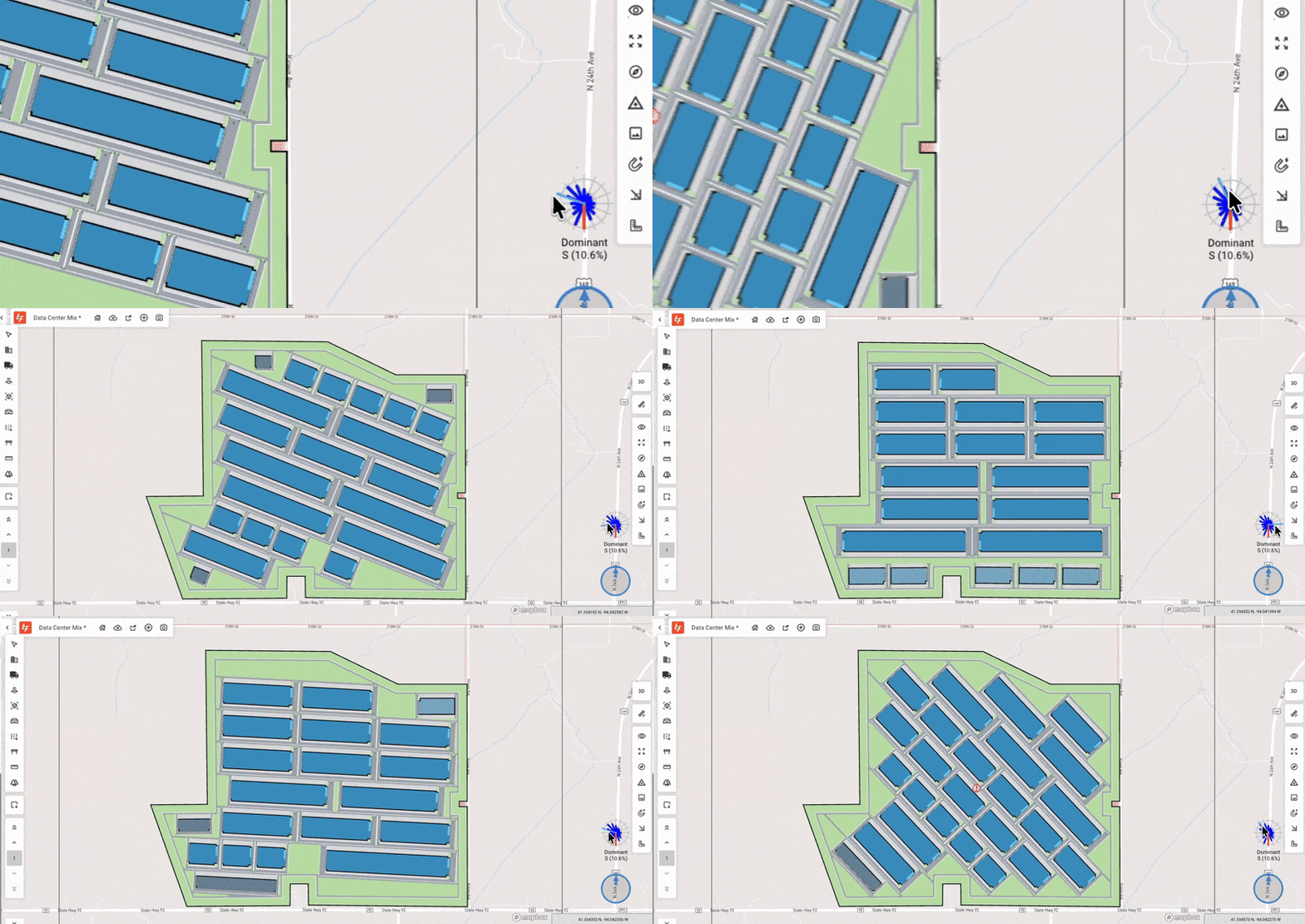
You can draw or click to define your row axis orientation, helping you position generators and cooling yards in ways that reduce heat recirculation and improve performance.
The row axis tool also works for any building types that have internal drives, such as low-density and garden sites.
Expanded Industrial Building Library Capacity
If you're building out a library of industrial prototypes, you now have more room to define all the variations you need. We’ve increased the industrial building library capacity so you can set up a broader range of standardized building options in one place.
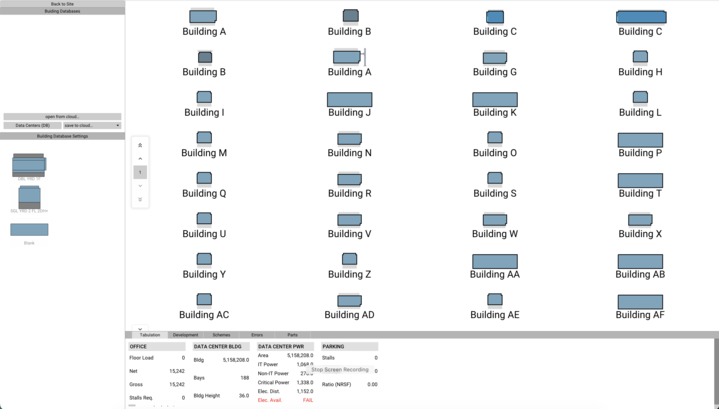
Within the industrial building editor, you can now include:
- 32 warehouse buildings
- 64 attachments (end bays)
- 32 spaces
This gives you the flexibility to capture more versions of your prototypes, different depths, bay counts, attachments, and program layouts. It’s easier to maintain, update, and test your full set of industrial prototypes in a single library.
Explore More Building Options with Randomized Mix
Industrial and data center sites often need far more building combinations than you have time to test manually. When you turn on “Randomize Mix”, TestFit generative design will explore a wider range of variations across your entire building database within the parameters you’ve already set.
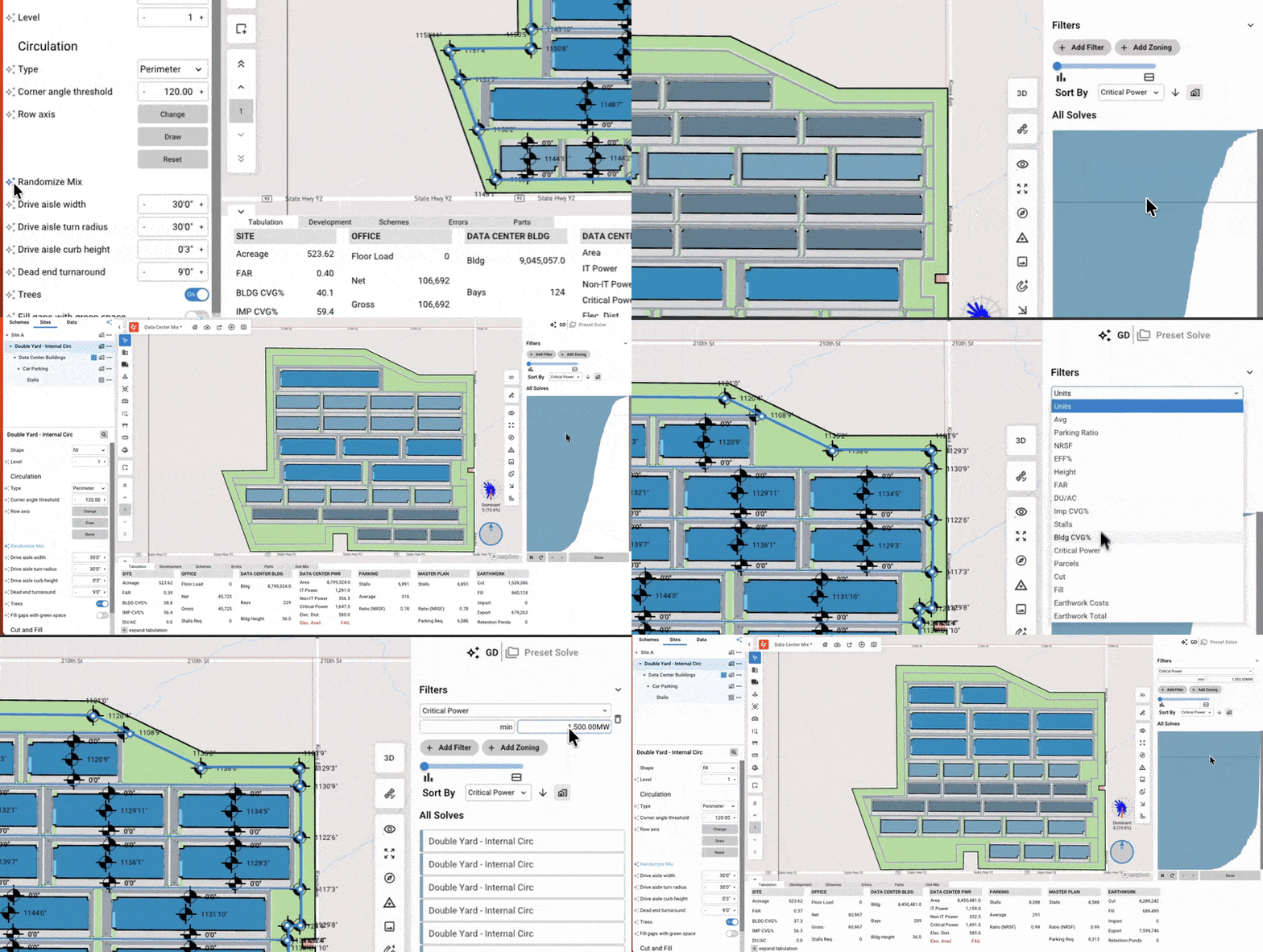
Use it to:
- Run deeper explorations of building mix combinations
- Lock certain building attributes while varying others
- Let generative design uncover options you might not have considered
This gives you more control over how TestFit evaluates iterations and helps you find the best optimized option based on your design intent, site requirements or financial goals.
Reports Updates
Auto-Generated Report Templates
You can now generate reports from a blank template or an out-of-the-box 3-page template, making it faster and easier to create client-ready outputs directly from your TestFit model. Reports update live as your design changes, giving you consistent, data-driven visuals without jumping into other manual formatting tools.
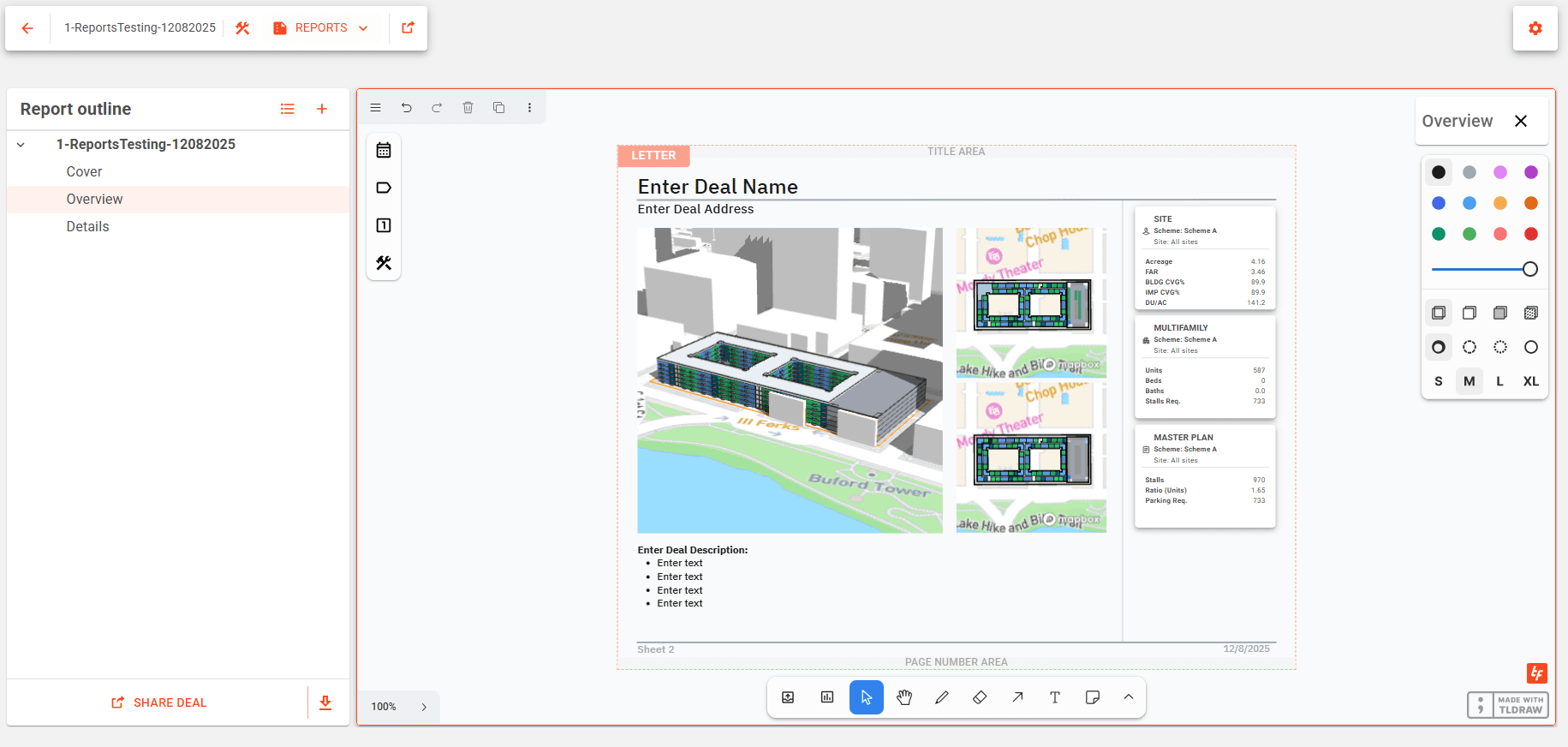
In addition to the templates, you can create custom sections and sheets with custom labels to organize your feasibility reports. These improvements let you generate clear, branded reports for internal presentations and stakeholder reviews faster.
Generate More Accurate Industrial Feasibilities from Day One
Industrial feasibility is becoming more complex, and the newest updates are designed to make it more accurate, more flexible, and more responsive to real-world constraints. Whether you’re aligning data centers to wind direction, managing multiple warehouse prototype variations, exploring mix scenarios, or presenting findings to clients, these tools help you evaluate options with more accuracy and less effort.