.svg)

Across every asset class, housing, industrial, retail, and data centers, 2025 was the year the deal teams demanded clarity earlier. We kept hearing that “in today’s market…”
- “We need to make go/no go decisions faster.”
- “It’s getting harder to find good land.”
- “We need quicker answers about what fits and what it costs.”
So we built the tools to answer those challenges, focusing on better automation, richer site data, and more flexibility to keep deals moving. You in turn tested more ideas, made decisions earlier, and turned complexity into clear options across billions of square feet.
Here’s a look at what we accomplished together.
By the Numbers

1. Better Site Analysis from the Start
Before any building takes shape, you need reliable data to understand what’s possible on a site. We expanded TestFit’s foundational tools to give you clearer context, more built-in site data, and a faster path to accurate site analysis.
- Canada Parcels: Teams across Canada can now begin feasibility with accurate parcel geometry and ownership data instead of manually drawing site boundaries.

- Utilities Data: Power transmission lines, gas pipelines, and telecom infrastructure are now visible directly on your site. Quickly evaluate whether a project has the utilities it needs early in the process.

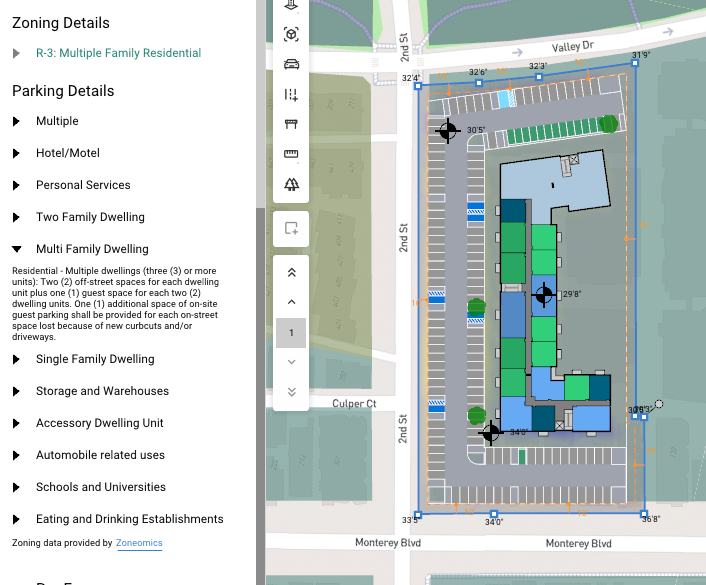
- Parking Requirements: In addition to the zoning data already available in Data Maps and Site Solver, you can now reference local parking standards. This helps confirm feasibility with real-world requirements before generating any layouts.
- Sharper Google Maps Imagery: Google Maps is now the default satellite imagery provider, offering higher-resolution visuals for clearer site context. Assess conditions and surroundings with more accuracy from the very start.

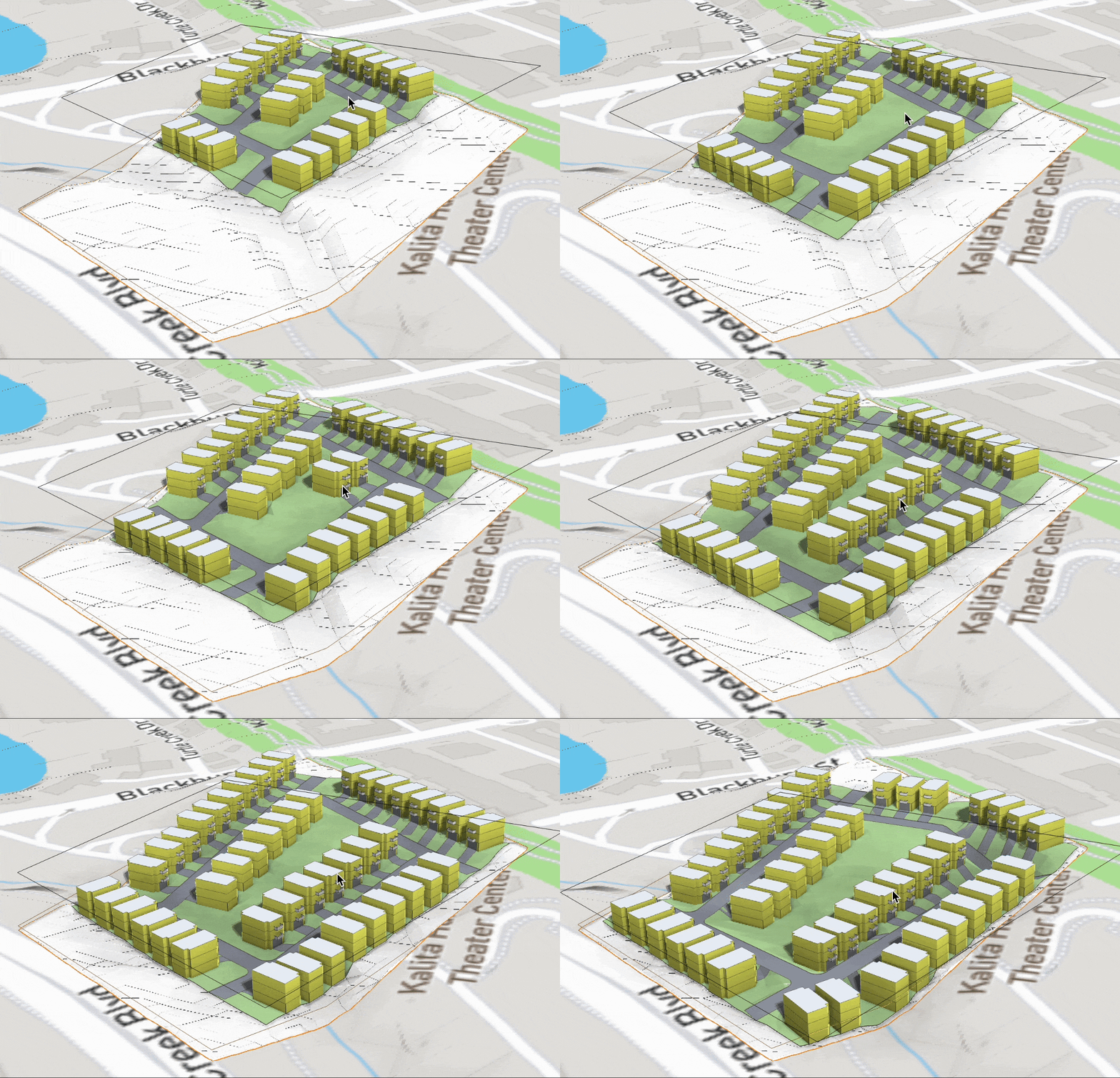
- Auto-Sloped Parcels & Townhomes: Parcels, townhomes, and their driveways now slope intelligently to match adjacent grades, producing more realistic layouts—especially on sloped or uneven terrain.
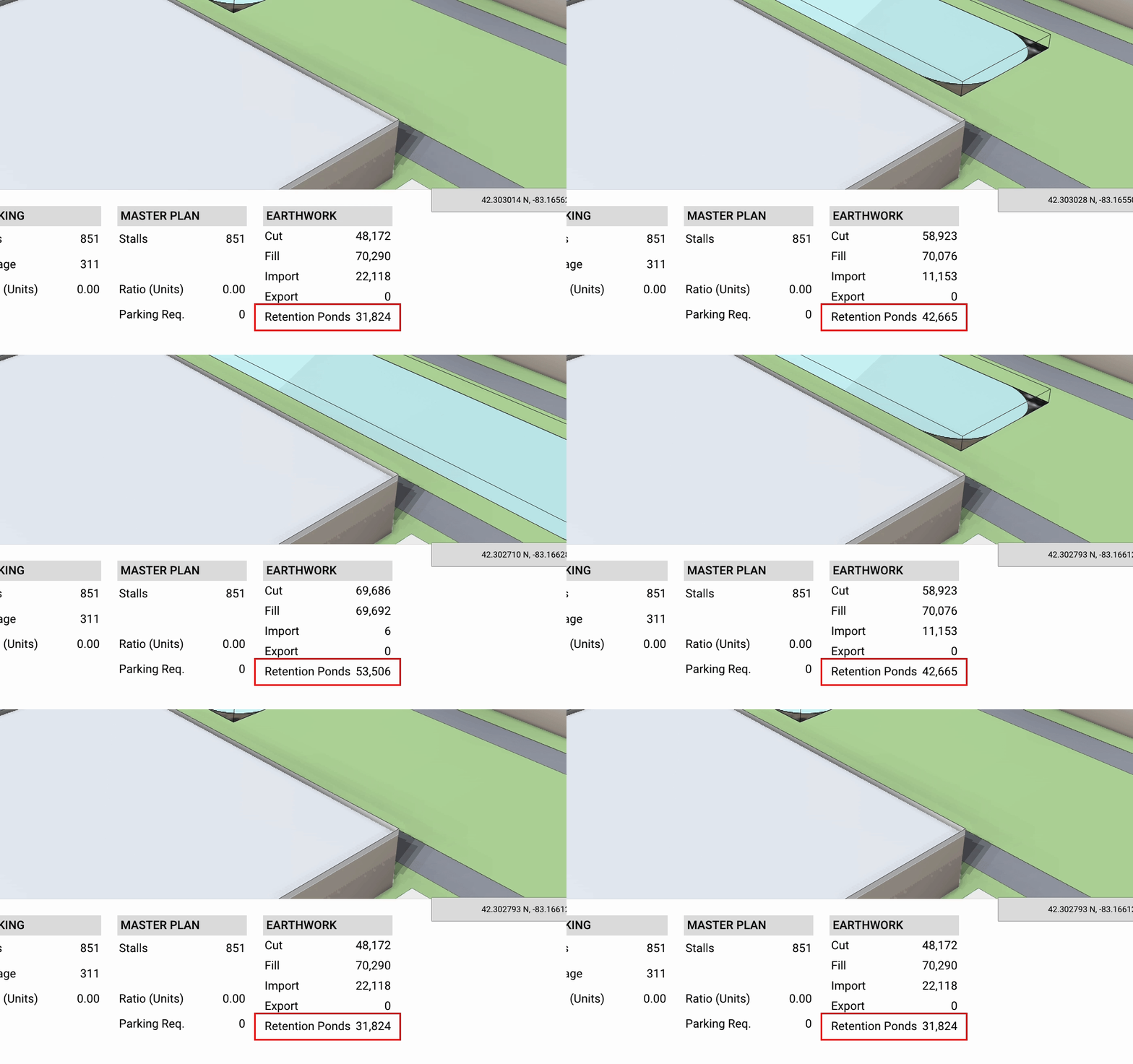
- Retention Pond Cut & Fill: Set maximum depth and slope parameters and instantly get earthwork volumes for stormwater planning.
2. More Automated Parking & Circulation
Parking and circulation define how efficiently a site can function. We automated more of the decisions that previously required manual adjustment such as aligning angles, creating networks, and optimizing flow, so you can reach a workable site plan much faster.
- Angled Parking: Angled parking is available for surface lots and structured parking, allowing for better space utilization and improved traffic flow— particularly useful for retail centers, mixed-use developments, and constrained sites.

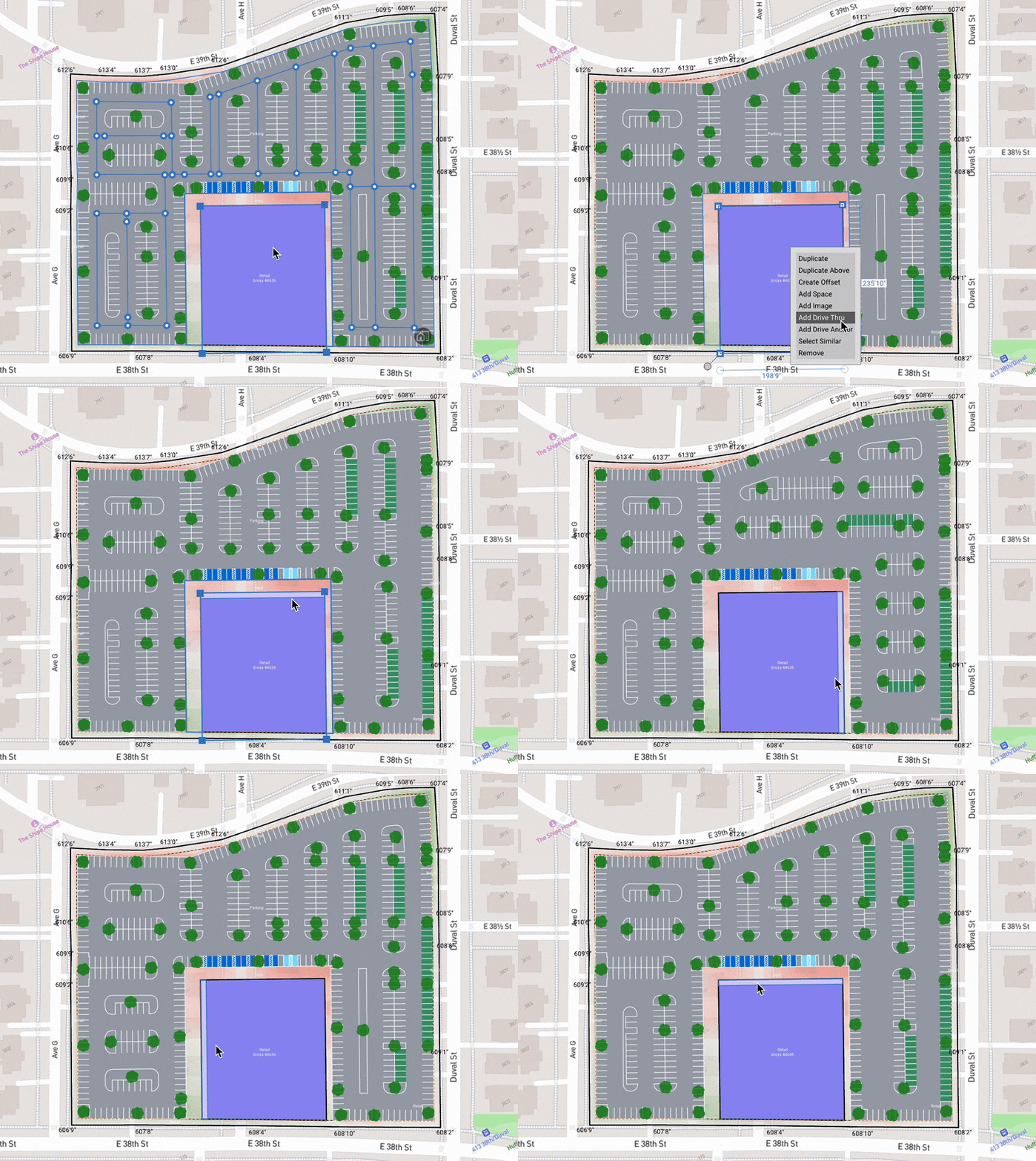
- Anchored Parking: Retail anchors, such as grocery stores, big-box retailers, and other high-traffic tenants, depend on clear, convenient parking. Instead of manually aligning aisles perpendicular to anchor entrances, TestFit will automatically solve parking relative to a drive anchor.
- Detailed Drive Networks: Use detailed roads within sites that include drive networks. This allows for more accurate modeling of circulation patterns, access points, and parking connections, especially in large mixed-use developments.

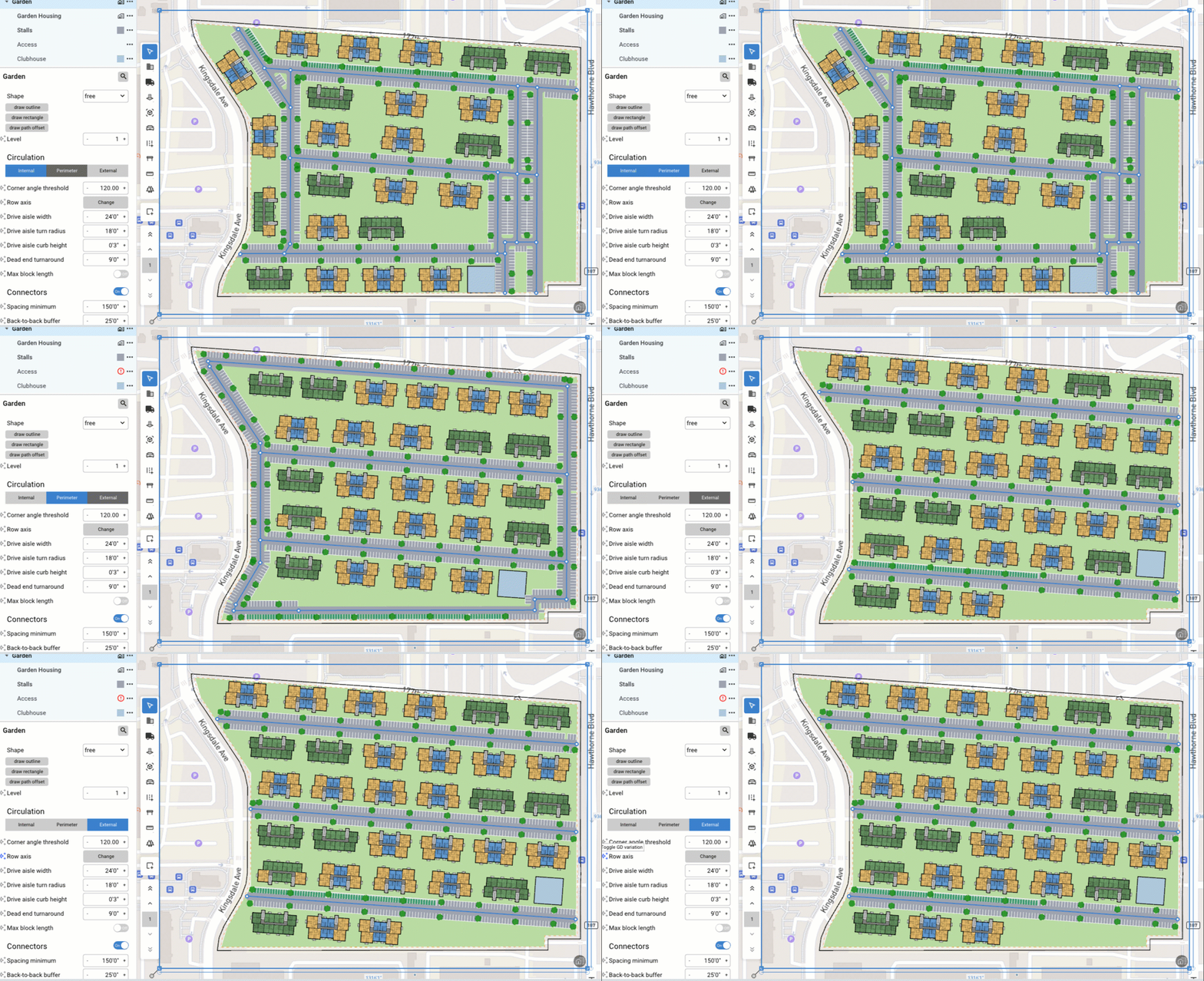
- Smarter Circulation Logic: This helps you design denser yet more functional industrial, data center and low-density or garden sites. Choose internal, perimeter, or external circulation to control how the drive network relates to building placement, achieving higher site utilization without compromising flow.
3. Faster Exploration with Generative Design
After launching generative design in 2024, it has become one of the fastest ways to explore options in TestFit. These updates make it easier to search, adjust, and fine-tune parameters so you can iterate quickly without losing design intent and financial goals.
- Parameter Search: Search across all sites and layers for any parameter, then navigate to it or update it directly from the results. This gives you faster access and tighter control, especially on complex or layered sites where manually clicking through each element would slow you down.
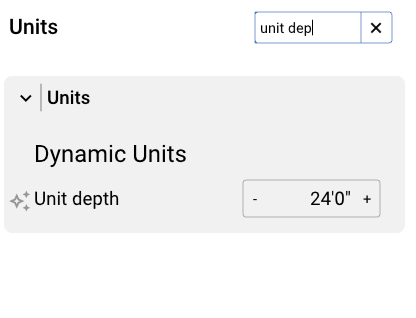
- Set Individual Parameters: Activate Generative Design for a specific component to set a range of values and let TestFit optimize within those limits. Want something fixed in place? Simply deactivate generative design for that parameter to lock it in. This flexibility lets you fine-tune details while still leveraging the speed and power of automation.

4. Retail Expanded to Drive-Thru Automation
Drive-thru demand continues to grow across QSRs, banks, pharmacies, and other high-traffic uses. We made these layouts faster and easier to customize so you can validate retail sites without redrawing lanes or manually recalculating stacking.
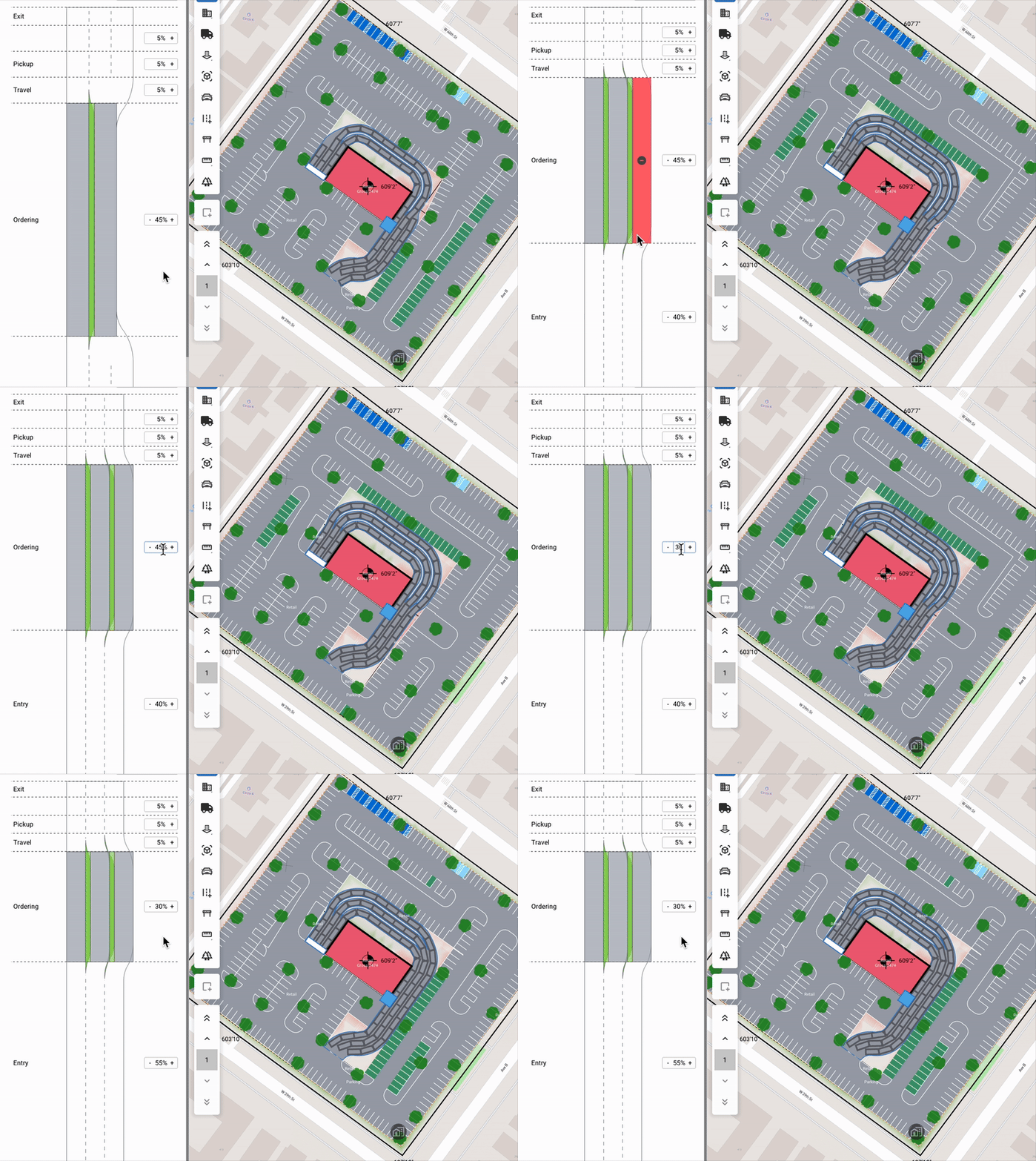
- Drive-Thru Automation: Drive-thrus can now be automatically solved within retail sites. TestFit handles turn radii and automatically calculates stacking count based on lane length, path, and pickup window location.

- Custom Multi-Lane Controls: Automatically generate multi-lane layouts, then fine-tune each segment for ordering, pickup, entry, exit travel, merges, and more. Adjust stacking and lane counts to match operator standards and get accurate layouts instantly, letting you focus on capacity and throughput rather than redlines.
5. More Flexibility for Multi-Family
Multi-family development requires balancing efficiency, livability, and design flexibility. These updates give you more control over unit layouts, support new typologies, and provide insight into daylight performance.
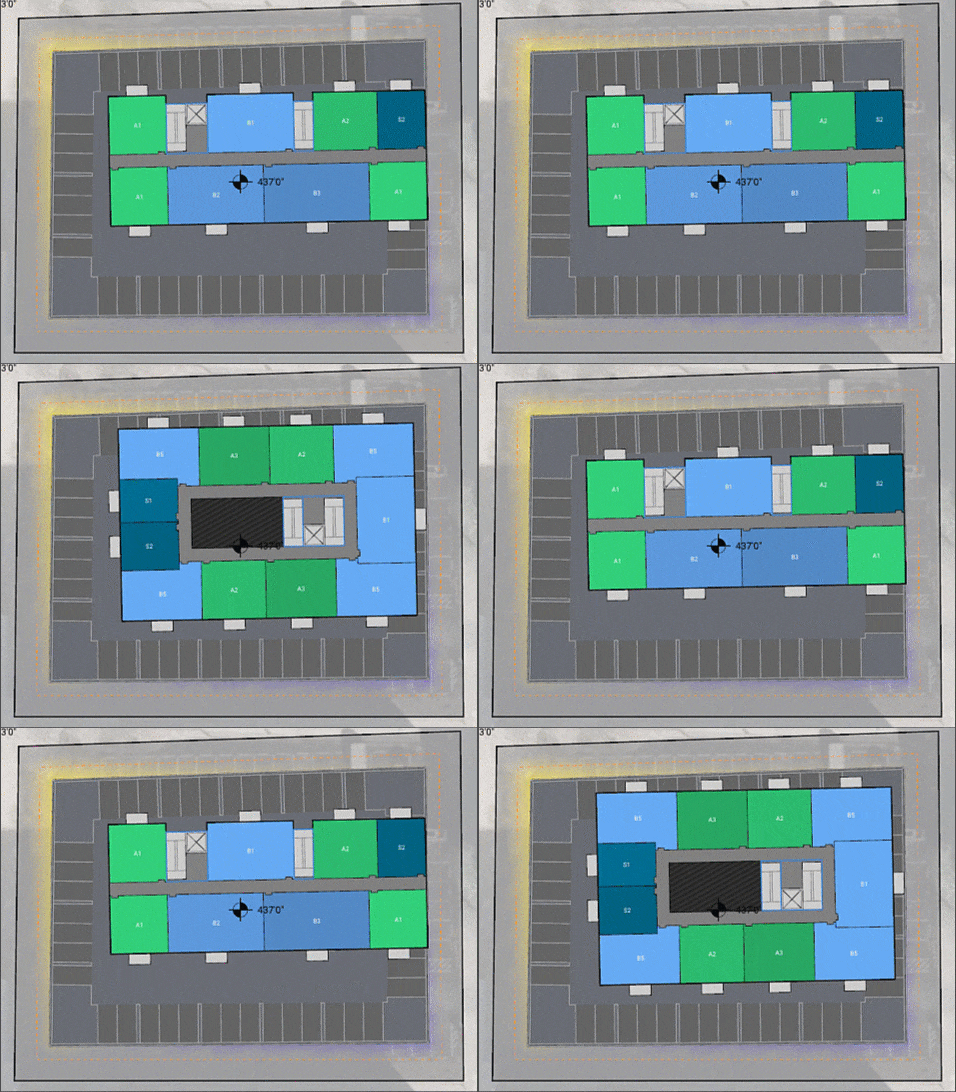
- Multiple Unit Mixes in a Building: You can use multiple unit mix within a single building. Each Unit layer can have its own database and level range, giving you far more flexibility when designing podiums, step-backs, or varied floor plans.

- Core- and Corridor-Based Blocks: The new block-style buildings can be core- or corridor-based. This supports European-style and other global typologies, allowing you to compare different core strategies and find the most efficient layout.
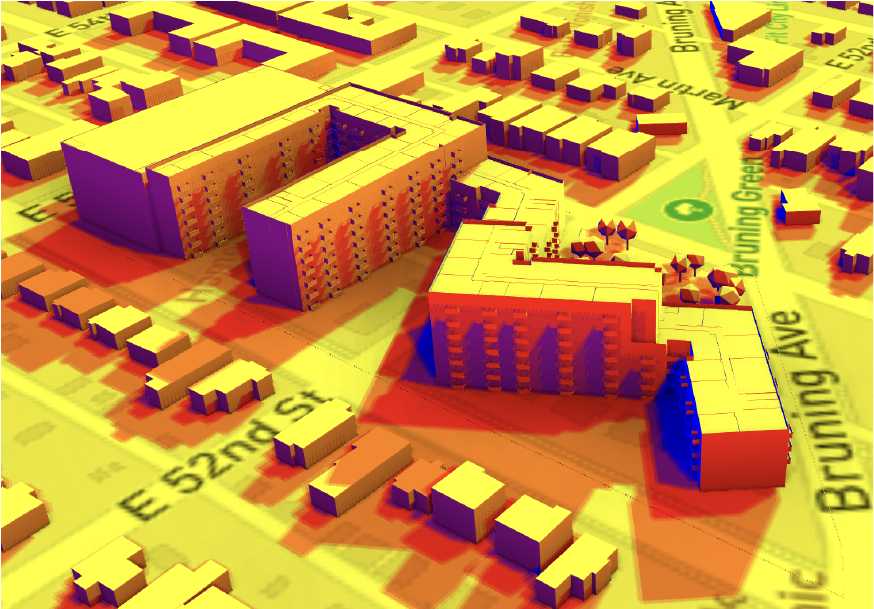
- Daylight Exposure Tools: Feasibility is not just about what fits—it’s about how well a building performs. The new daylight heatmap makes it easy to evaluate building orientation, shading impacts, and passive solar potential. For blocks, TestFit can even step the massing automatically to optimize for daylight access.
6. Smarter Prototypes for Industrial & Data Centers
Industrial and data center projects depend on precise standards, efficient circulation, and careful coordination between buildings and site infrastructure. We introduced new ways to define your prototypes, test variations, and optimize layouts for performance, cooling, and code requirements.
- Industrial & Data Center Building Editor: Create a full library of prototype buildings that match your exact standards. TestFit automatically evaluates every possible combination and generates the most efficient site layouts, allowing you to compare prototypes on the same site in seconds.
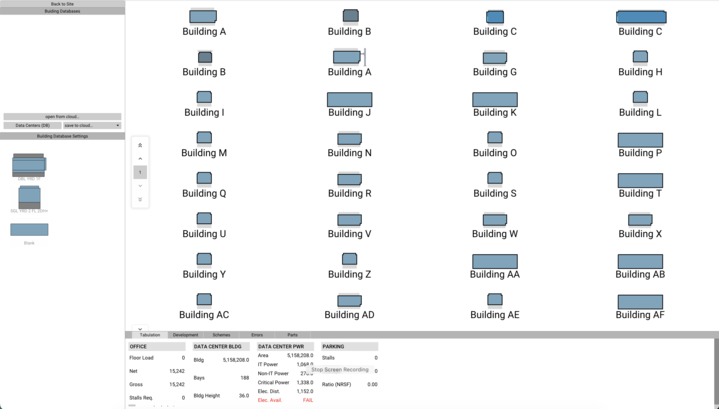
- Data Hall Components: You can now add components like electric bays, admin/office wings, and yards on either side of the building. Then let generative design optimize the entire configuration around your updated prototype.

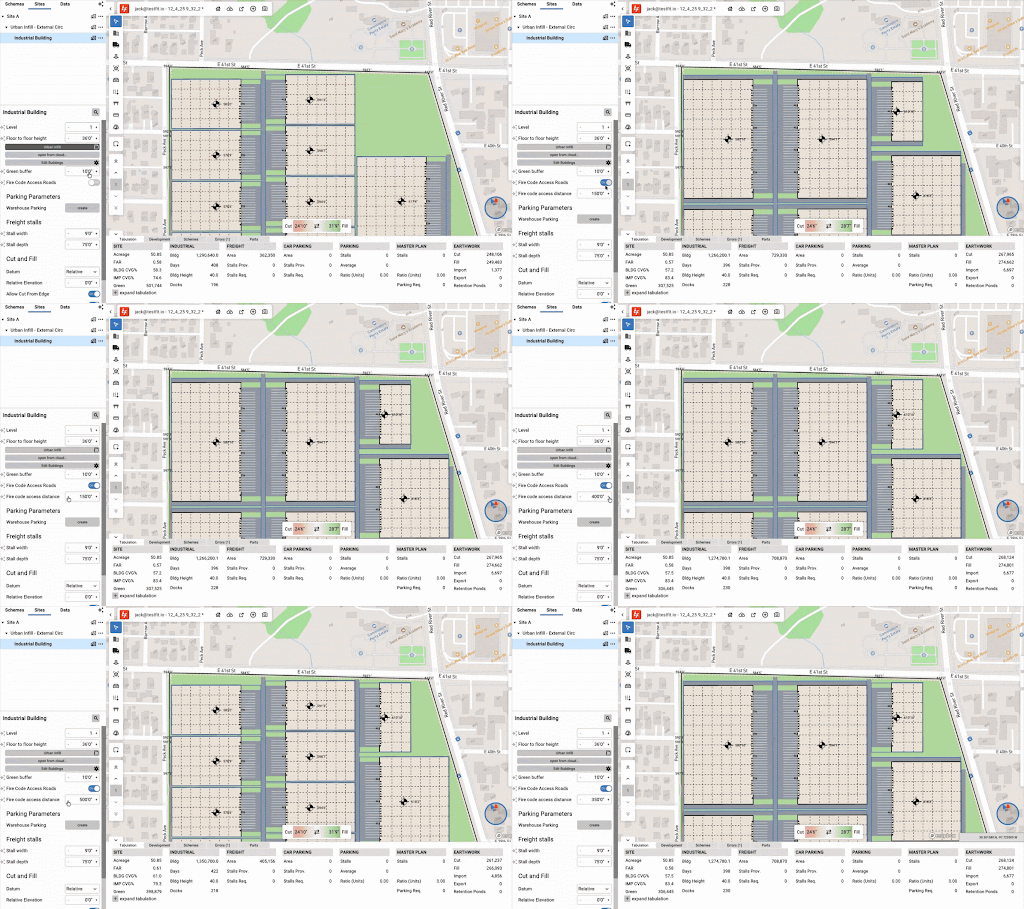
- Fire Road Hose Length: Set allowable fire hose distances to ensure large sites maintain code compliance. This adds another layer of real-world logic to early feasibility.\
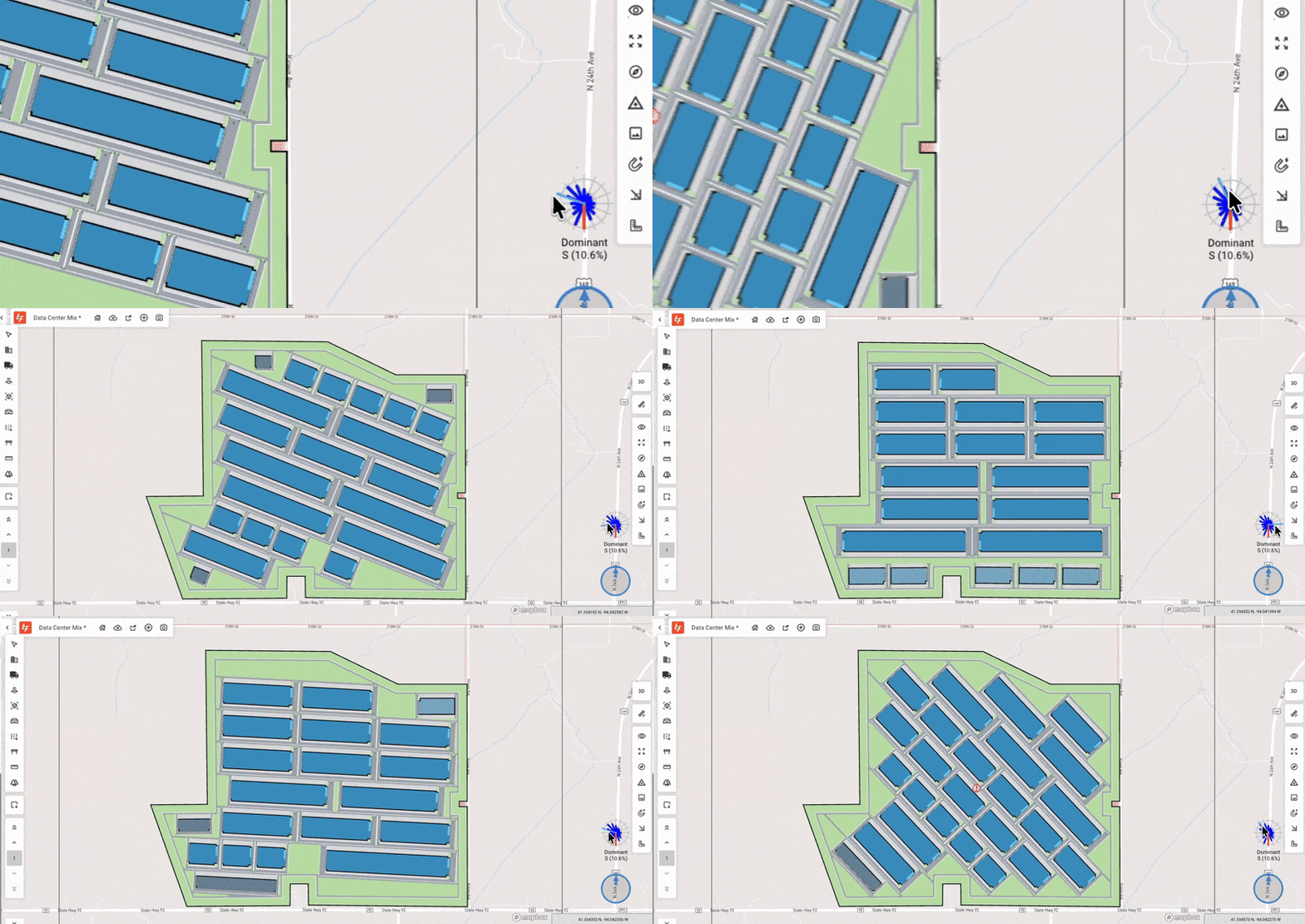
- Wind Direction (Wind Rose): Cooling efficiency is essential for data center performance. The wind rose tool helps you understand prevailing wind direction and orient buildings, generators, and cooling yards to reduce heat recirculation and cooling cost effectively.
7. A Faster, Smoother TestFit Experience
Exploring options, testing scenarios, and collaborating should feel effortless. We improved usability and expanded the value TestFit delivers by removing friction from daily workflows so you can concentrate on making better decisions, faster.
- Improved Site Locking Workflow: Explore unlimited massing studies before committing to a site. Test constraints, preview generative design presets, and experiment with massing first then lock the area when you're ready to refine. It’s a more flexible, low-risk way to start every project.
- Search by Assessor Parcel Number: In addition to address search, you can now search by APN across the United States and Canada. Quickly pinpoint exact parcels and ensure you're working with the right site from the start.

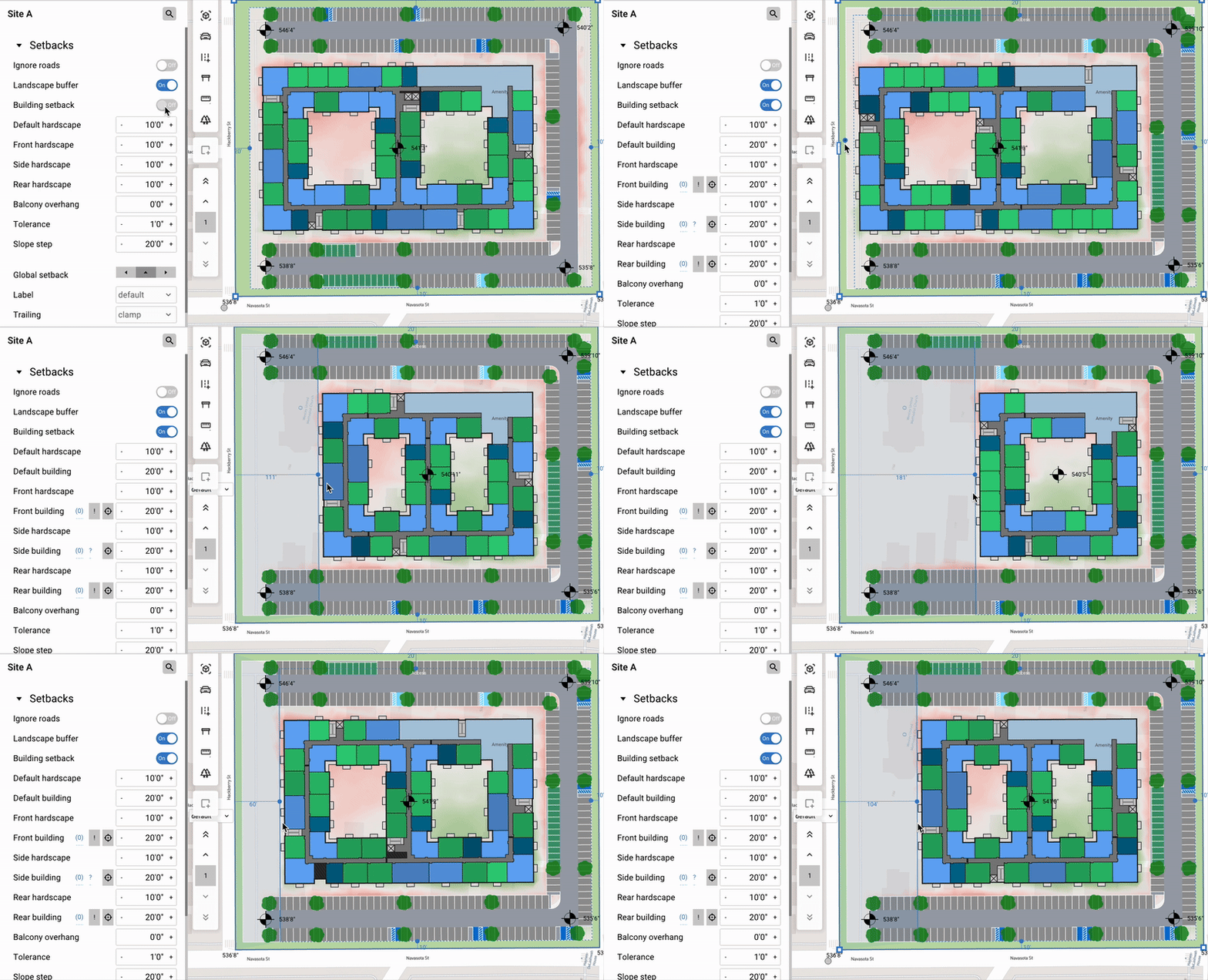
- More Precise Setbacks: Define building setbacks separately from landscape setbacks for better control over buildable envelopes and open space. This makes zoning compliance easier to visualize and ensures yield calculations more accurately reflect what can actually be built.
- Copy/Paste Sites, Regions & Layers: Speed up feasibility workflows by copying entire sites, regions, or layers between sites, schemes, and files. Perfect for large-scale master plans or managing multiple sites within one development—dramatically reducing repetitive work.

- Automatic Tree Placement: The Park layer now supports automatic tree placement with adjustable density and scale, making it easy to visualize landscape concepts without manual drafting.

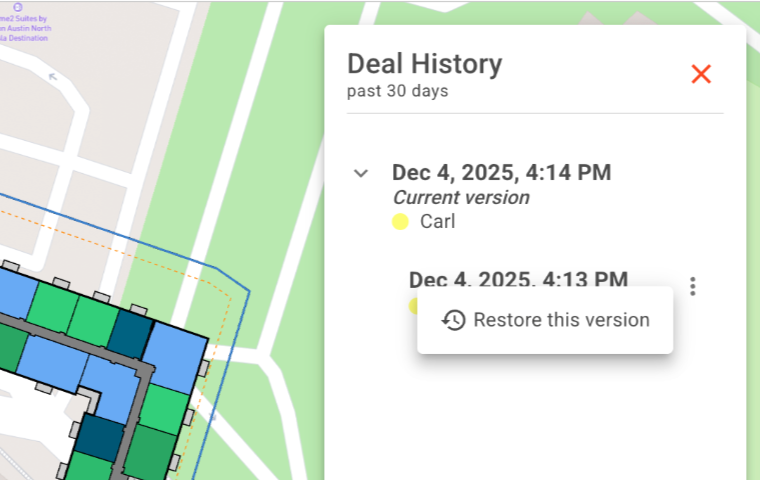
- Auto-Save & Version History: Deals are automatically saved on the web, keeping your work protected and easy to share. Version history tracks individual activity and lets you revert to previous iterations as needed.
8. From QTO to Presentation with Web Tools & Reports
Real estate feasibility doesn’t end once a site plan is generated: you still need accurate quantities, cost estimates, and polished presentation for stakeholders. Now you can evaluate, edit, and present your deals all in one place.
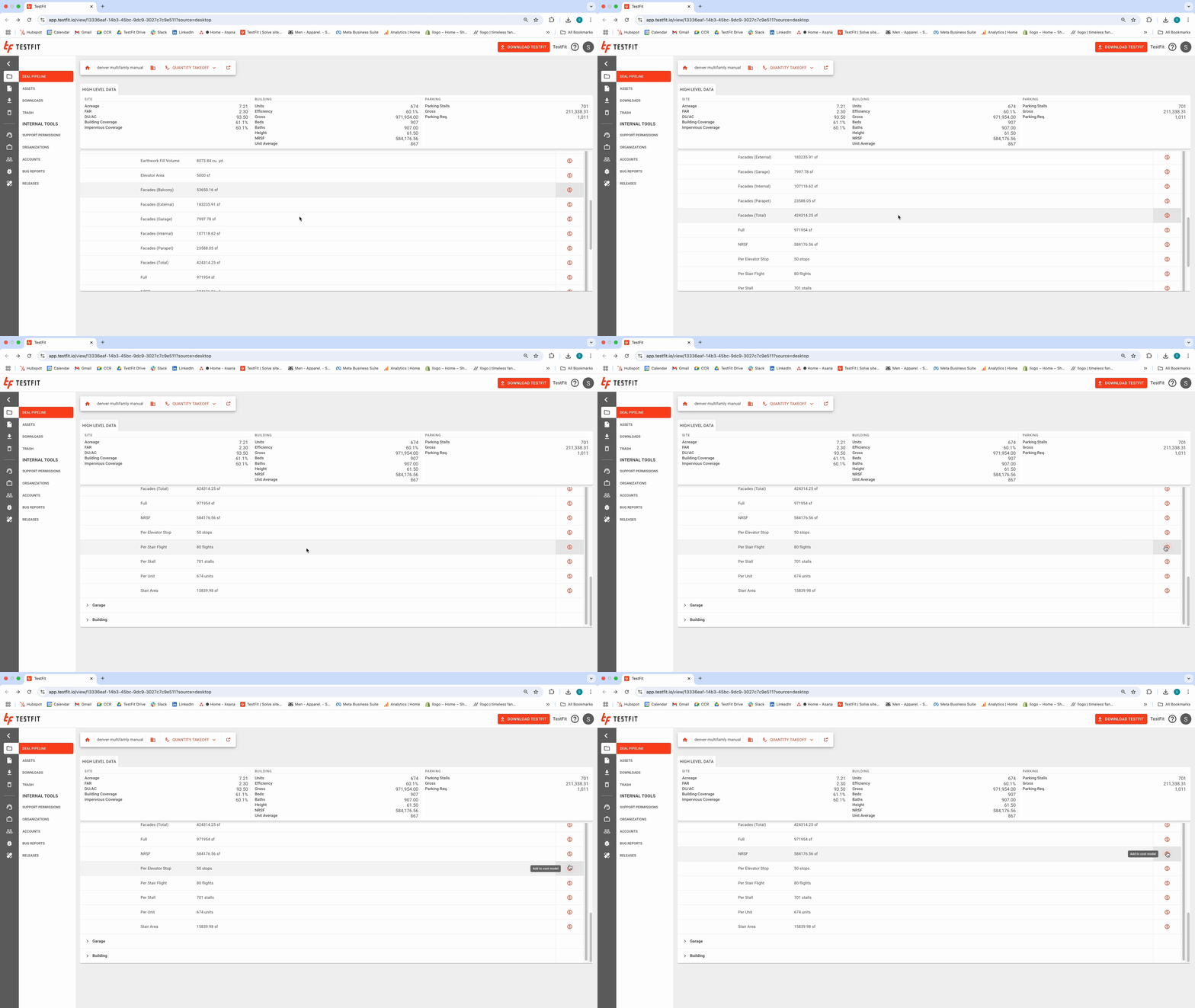
- Automatic Quantity Takeoffs: A new quantity takeoff tabulation captures all the elements TestFit generates including square footage, unit counts, parking totals, building areas, and more. These quantities connect directly to the Cost Model for accurate conceptual estimates across each site and scheme.
- Web-Based Deal Editing: You can edit your TestFit model directly in the browser from anywhere. With the exception of generative design, so you can keep your feasibility studies up to date from anywhere.

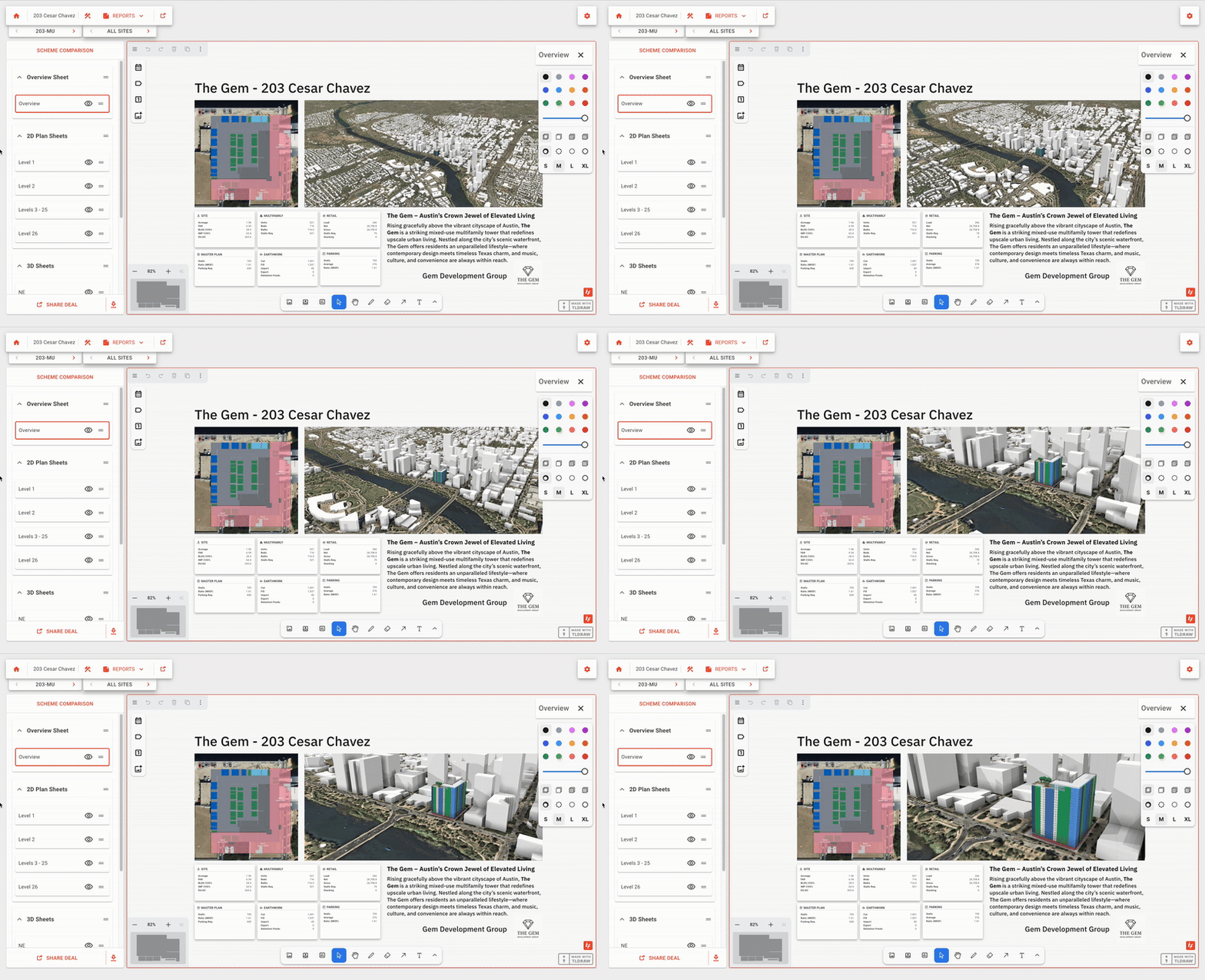
- Reports: To close the loop from site analysis to deal evaluation, we introduced Reports—a new way to generate polished feasibility presentations on the web. You can compile key site data, visuals, and scheme comparisons into clean layouts that are easy to export and share without manually formatting in other tools.
What’s Next
2026 marks TestFit’s 10th anniversary, and we’re gearing up for our biggest leap forward yet. Here’s a preview of what’s ahead:
- Pro Forma: Bringing financial clarity directly into TestFit, helping you evaluate deal viability earlier and understand how design decisions impact ROI in real time.
- Retail Building Editor: Build a library of common prototypes that meets your operator standards, and automatically place retail buildings with accurate circulation.
- Low-Density Improvements: Our most popular building type is getting major upgrades. Expect more flexible configurations, better circulation logic, and smarter automation to support single-family, townhomes, and small-scale residential development.
- Generative Design Enhancements: More control, more speed, and more design intelligence—making it even easier to explore options while staying aligned with your standards and constraints.
Thank you for another incredible year. We can’t wait to build the next decade with you.