.svg)


A significant amount of early design time goes to manual setup instead of actual decisions. Geometry gets drawn by hand and redrawn whenever something shifts, parcel details get verified in a separate tool before a site is even defined, and elements get nudged into position one at a time to line up with the right edge. None of it is really design work. It is the overhead around design, and it piles up fastest in feasibility, exactly where speed matters most. The updates in this release take direct aim at that overhead, pulling each of those manual steps into the workflow itself.
General Updates
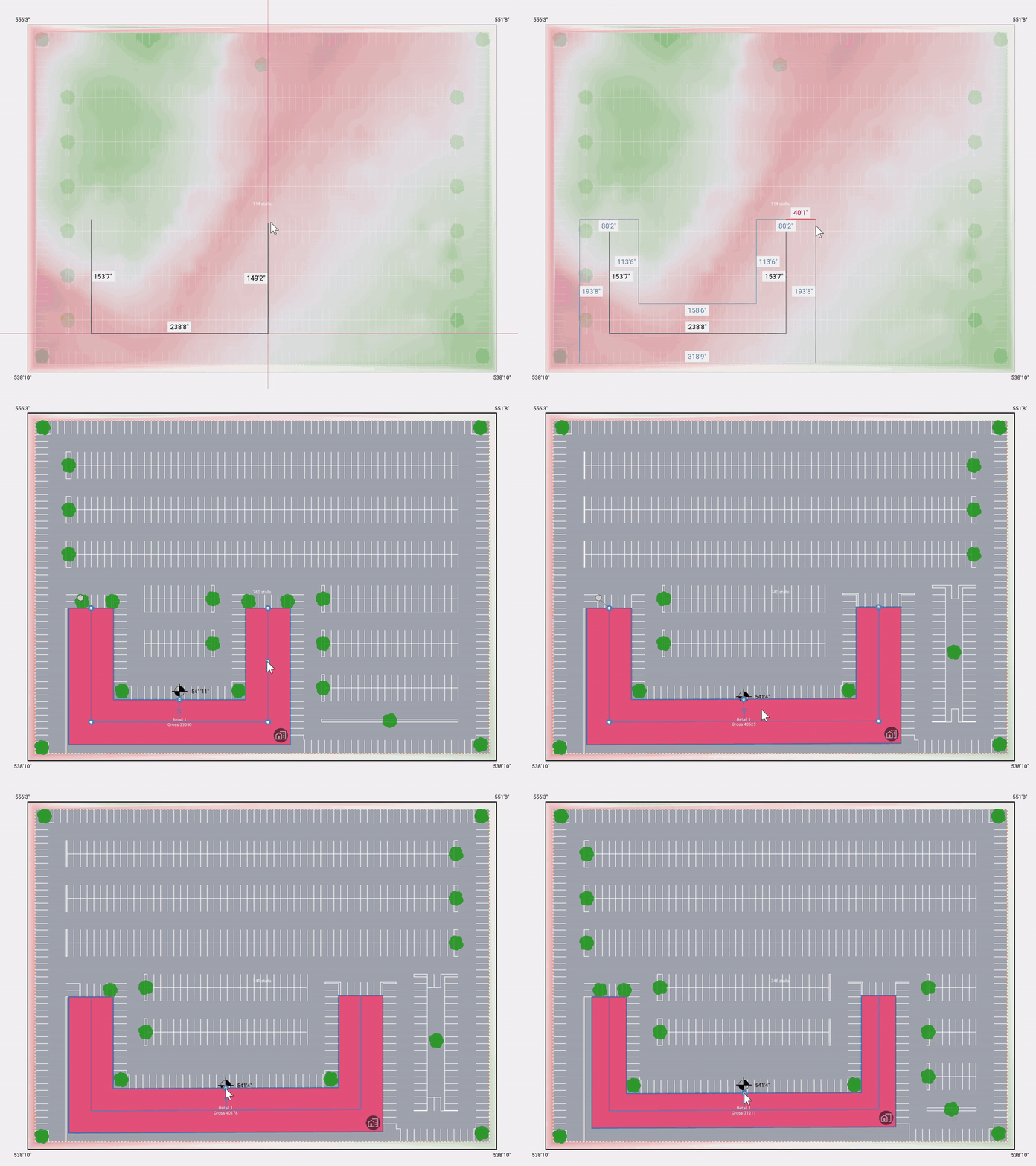
Path Offset Tool
The new path offset tool allows you to define spaces from a centerline instead of manually defining each edge. You draw the path, then apply an offset to generate the space footprint around it. The offset value is adjustable at any time: drag a handle to set it visually, or type in a specific value when you need precision. Because the geometry is driven by the centerline rather than a manually constructed outline, you get direct control over the space's width relative to the path, and every adjustment is immediate and non-destructive.
The result is accurate, editable spaces that match real-world conditions like corridors, setbacks, and linear programs. Since the offset can be revised at any point in the design process, depth, geometry, and right angles stay consistent no matter how many adjustments you make.
Parcel Information on Hover
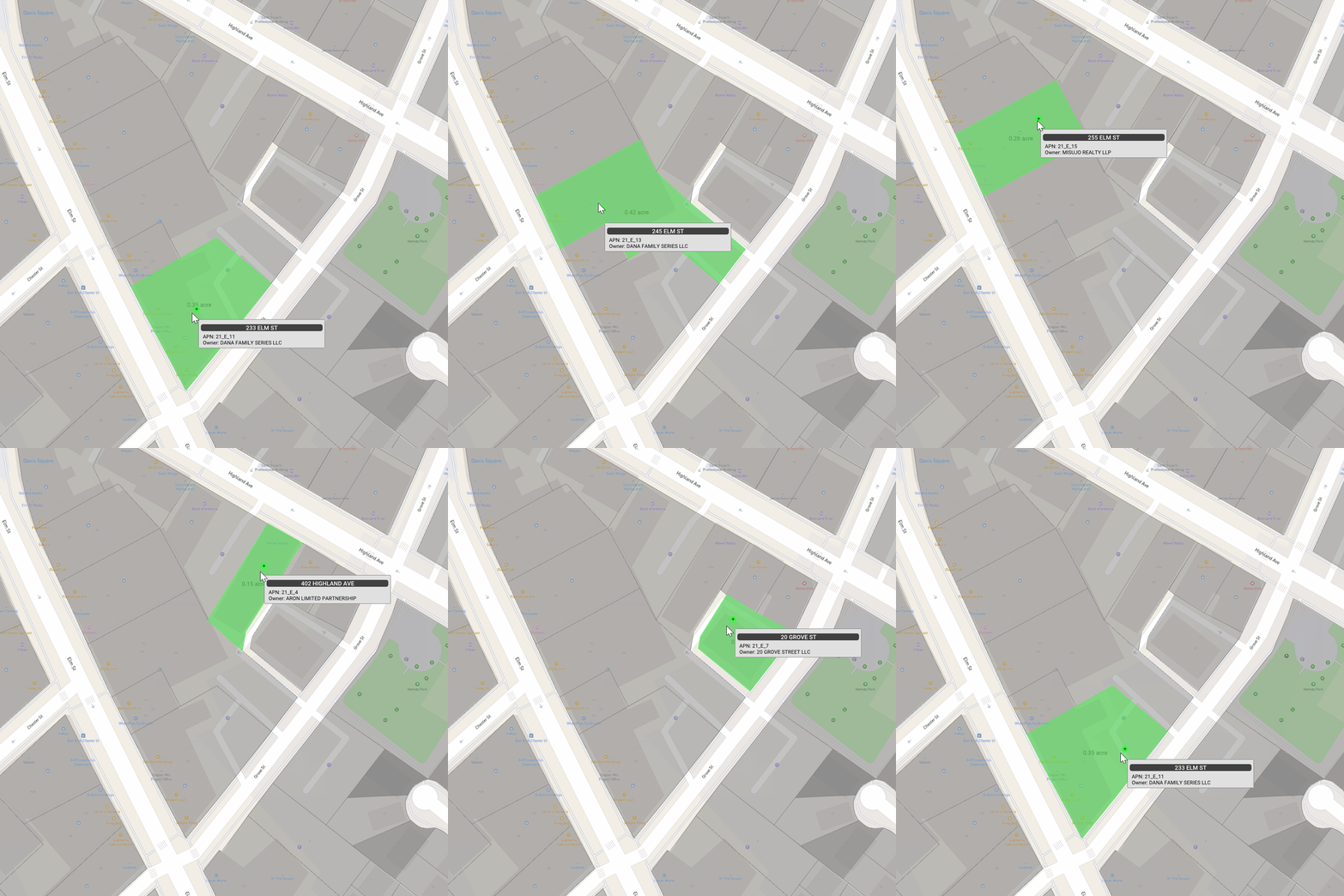
During site definition, hovering over a parcel now surfaces its address, APN, and owner before you select it. Instead of cross-referencing parcel data in external sources, the information you need to confirm a parcel is available directly in the workflow, exactly when the decision is being made.
That means you can confirm the right parcel faster and with greater confidence, keeping early feasibility work accurate and on track.
Housing Updates
Location Anchor for Inline Spaces and Access
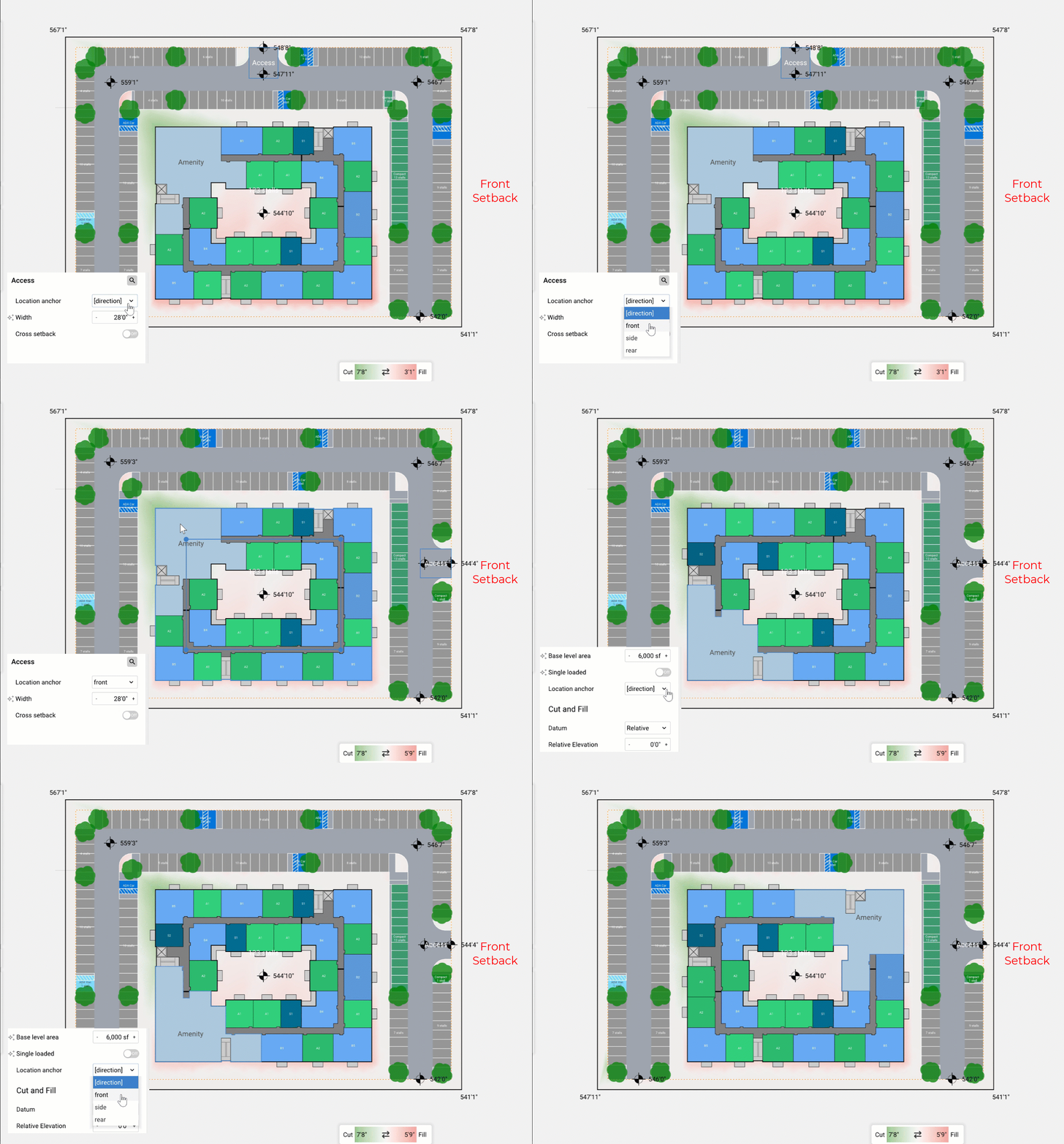
When you place an inline space or parking access area, a new location anchor setting lets you specify whether it anchors to the front, side, or rear of the defined site at the time of placement. Placement becomes intentional and controlled: rather than adjusting elements after the fact, you define the anchor relationship upfront, and the element responds to the site geometry accordingly.
Design iterations move faster as a result. Less time goes into repositioning elements by hand and more into exploring configurations, with confidence that each placement reflects the site relationship you intended.
Watch a Quick Overview:
Additional note:
Generative design is now available in the web on an experimental basis. The same automated site planning capability that has lived in the desktop app now runs in the browser, with no download required and access from any machine, operating system, or browser.