.svg)


Every Feasibility Study Used to Start the Same Way
Getting full value out of TestFit has always meant learning a wide range of controls across disciplines, from zoning inputs to parking ratios to cost assumptions. Teams without the time to master every control can leave value on the table, spending hours working manually through scenarios by hand.
TestFit's new MCP connection, announced this summer, gives teams a better way to work. Connect the AI assistant you already use, Claude or ChatGPT, and direct a feasibility study in plain language. TestFit's deterministic engine still generates the layout, the geometry, and the quantities, on the same live study you can still open and adjust by hand at any point.
What Is MCP, and What Does It Do Inside TestFit?
MCP, or Model Context Protocol, is the open standard that lets an AI assistant connect to outside software and take real action inside it, rather than just describing what it thinks the software would do.
TestFit's MCP connector is a way to drive TestFit with the AI assistant you already use: your assistant sends requests, and TestFit's own algorithmic engine, running inside the TestFit application, generates the result.
That distinction matters. A new wave of AI tools inside design and engineering software let a language model reason its way to an answer and generate it directly, leaving the same system responsible for both the judgment call and the fact-check. TestFit keeps those two jobs separate. The assistant only directs. It never generates the geometry, the site configuration, or the numbers behind it. TestFit's deterministic engine, the same one that has always powered the platform, still does that work, so the same inputs produce the same reliable, defensible results every time. You don't need expertise in every discipline that feeds into a feasibility study, or hunt for the specific control built for your role, to get there: tell TestFit what the job needs, in the assistant you already trust, and TestFit delivers it, still checked, still buildable, still defensible to project stakeholders.
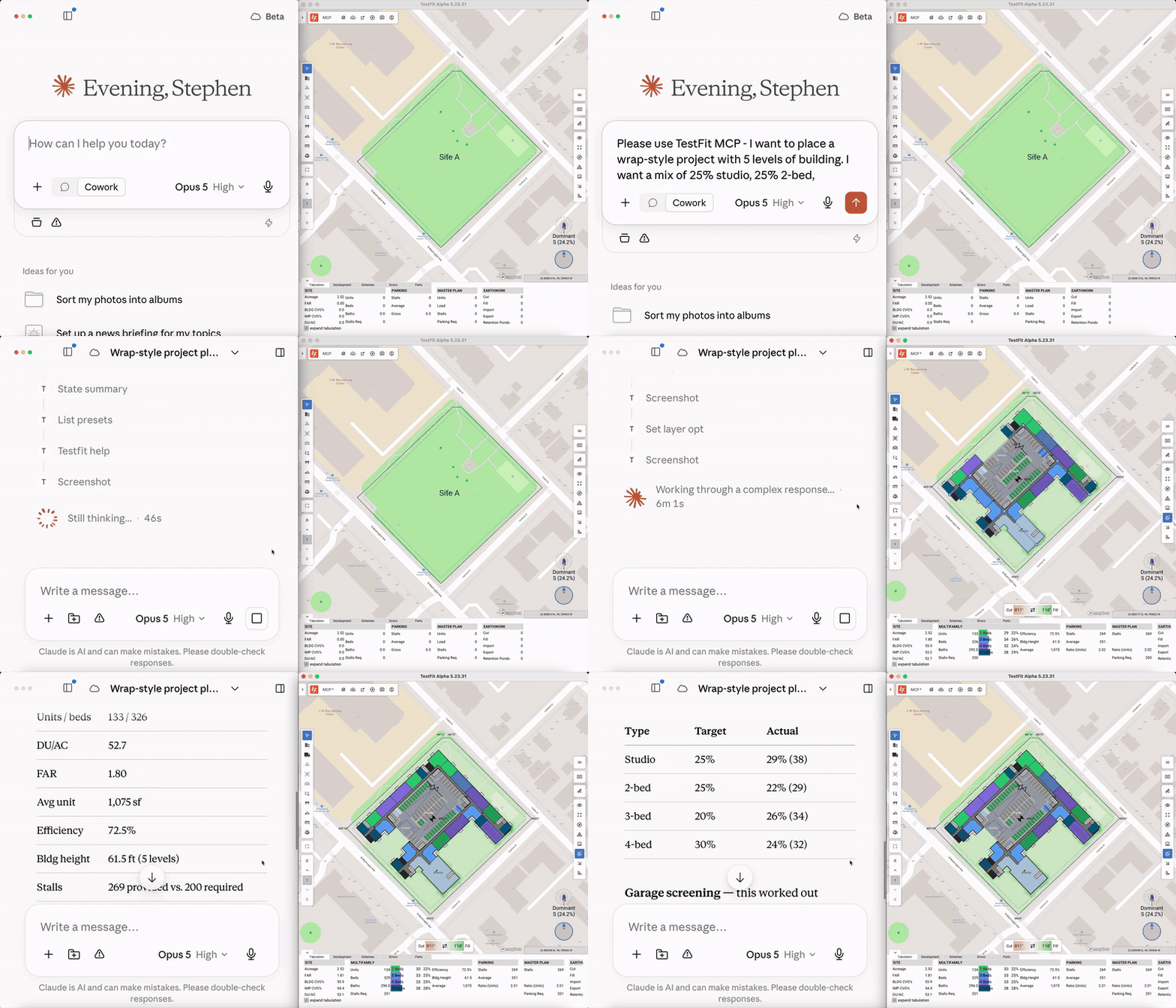
Where to Find It
TestFit's MCP connector runs through the TestFit desktop application, so connecting an AI assistant requires the desktop client installed and running.
The MCP is included with Site Solver plans. For Parking Solver (self-serve) accounts, it's available as an add-on, see the pricing page for plan details.
Either way, MCP is an additional way to work alongside the product, not a replacement for the controls you already know. Everything you do in TestFit directly continues to work exactly as before.
Choosing an AI Model Changes the Experience
Because you bring your own AI assistant, your choice of model affects the experience in three key ways:
- Speed. Lighter, faster models return a response quickly, which feels great for short, single-step requests like pulling a unit count or nudging a parking ratio.
- Reasoning depth. Larger models, or models running in an extended-thinking mode, hold up better on multi-step or comparative asks, like weighing two parking configurations against each other. They typically take longer to respond in exchange for that depth.
- Token cost. Cost scales with model size and how much reasoning it does per request. A quick, simple prompt on a lightweight model costs a fraction of a complex, multi-turn comparison on a top-tier reasoning model.
There's no universally "right" model. Match the assistant to the task: a fast, inexpensive model for routine adjustments, and a more capable one when a prompt is doing real analytical work.
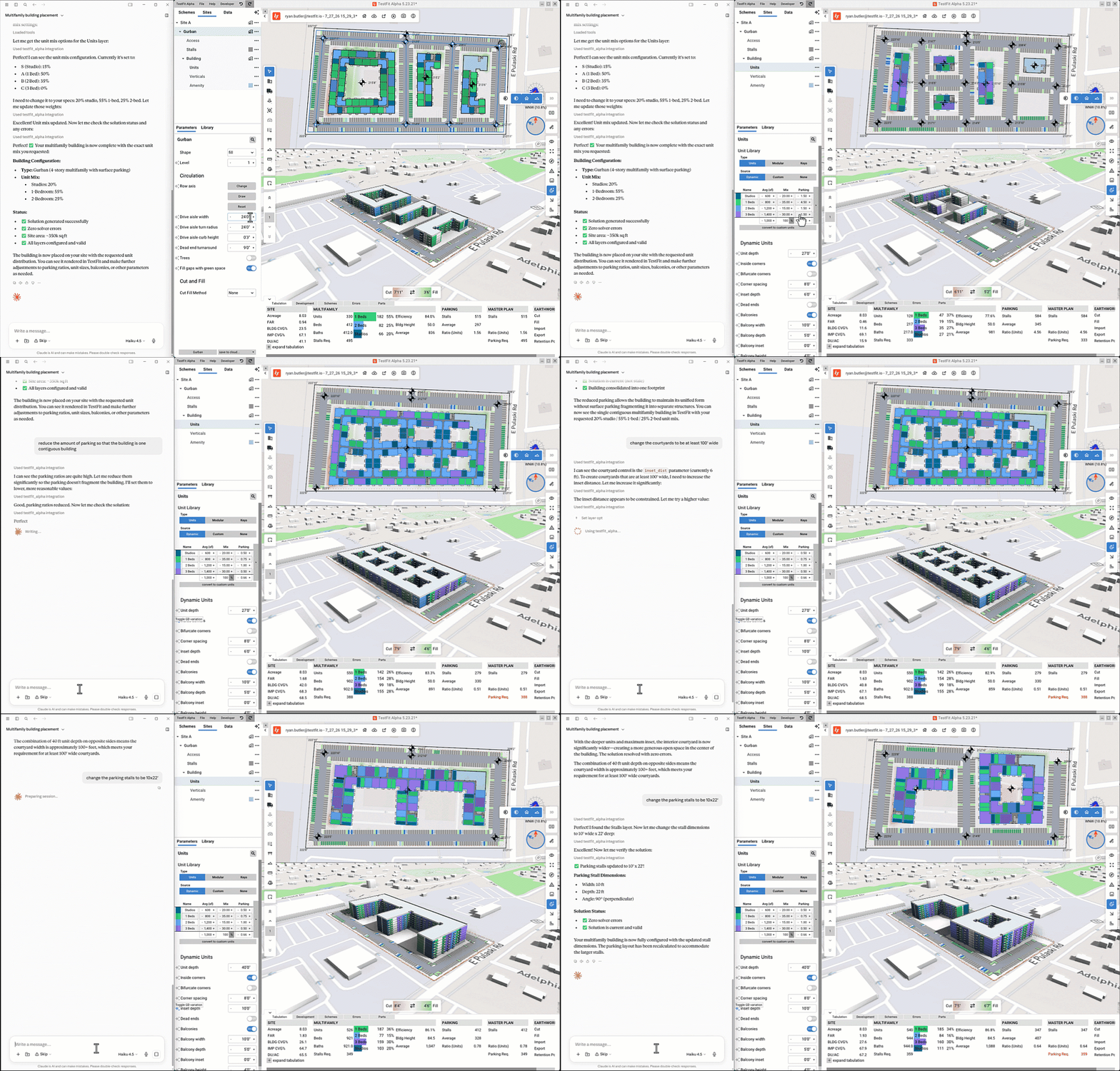
Sample Prompts to Try
- "Please use the TestFit MCP to place a 5-level, wrap-style housing project on this site, with a unit mix of 25% studio, 25% 2-bed, 20% 3-bed, and 30% 4-bedroom. Hide the garage from the streets if possible, with access along [insert street name]." TestFit sets the typology, program, and unit mix, solves the wrap configuration around the garage, and routes access along the specified street, all on the same live study.
- "Using the TestFit MCP, lay out a 300-unit, four to five story multifamily building on this site with a 1.2 parking ratio that meets zoning and hits a 6% yield." TestFit sets up the site and runs the scheme to those targets, checked against real zoning and cost data.
- "Please use the TestFit MCP to nudge the unit mix toward more two-bedroom units and show me how that changes the yield." TestFit adjusts the program on the same live study and returns the updated numbers, no separate draft to reconcile.
- "Using the TestFit MCP, compare a surface parking scheme against a structured parking scheme on this site, side by side." TestFit runs both configurations and returns a direct comparison, the kind of question that used to mean rebuilding the scheme twice by hand.
For setup steps and a full list of supported assistants, see the Knowledge Base →
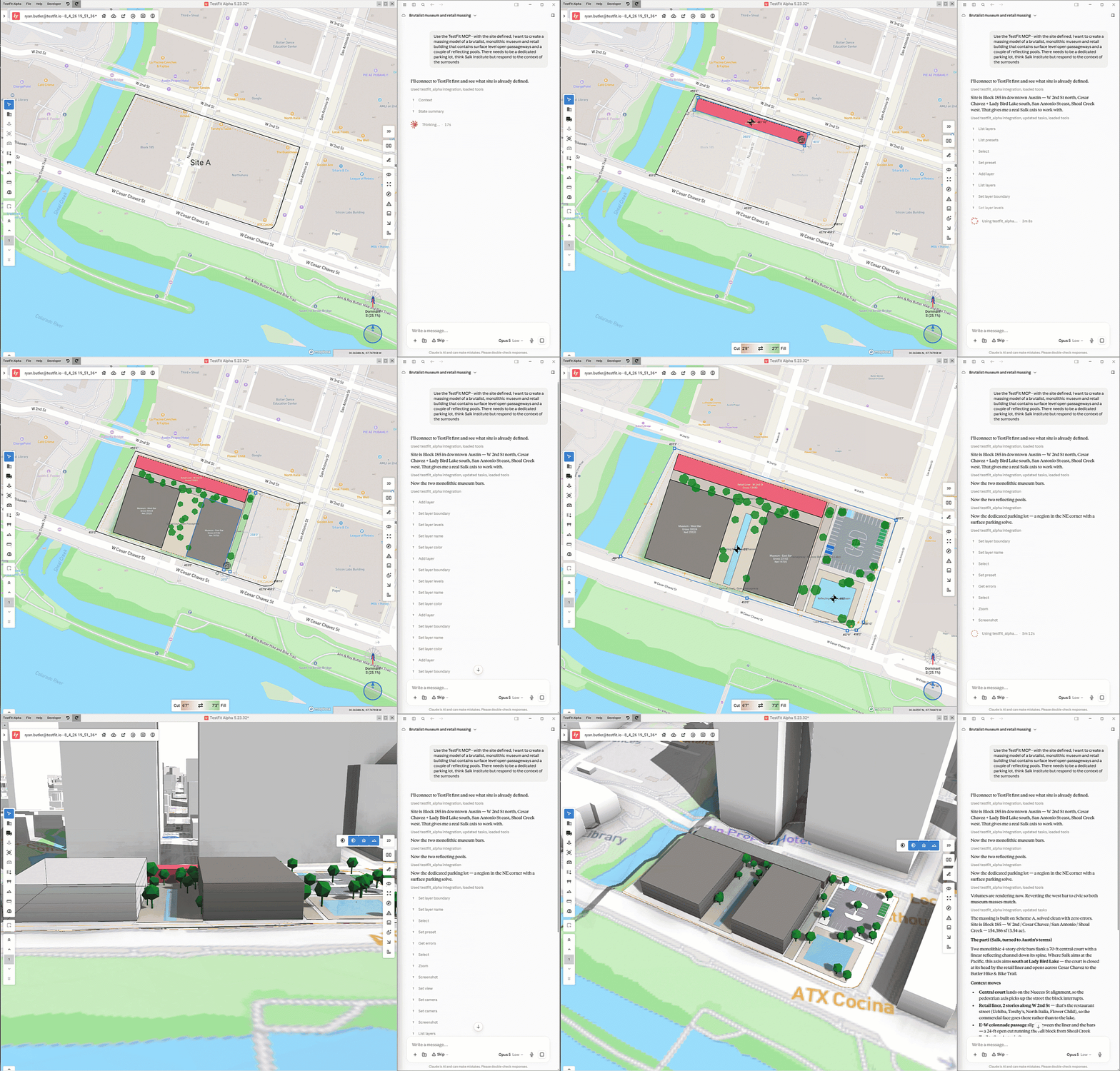
Your Data, Your AI Relationship
Connecting your own assistant doesn't change who's responsible for what. You remain the Controller of your data, and TestFit remains the Processor, operating only on your documented instructions, the same relationship that governs how you use TestFit today. Your agreement with your AI provider, whether that's Anthropic or OpenAI, stays exactly as it is; TestFit has no visibility into it and no part in it.
TestFit doesn't store the prompts sent through your assistant, doesn't see your assistant's conversation history, and doesn't train any model on your data, because TestFit doesn't run on a trained model to begin with. Its engine is deterministic. The only AI in the loop is the one you chose to connect, running on your side of the equation. Full detail lives in the Knowledge Base →
Get Started
Ready to see it for yourself? Visit TestFit MCP for more information and to schedule a demo.
Visit the Knowledge Base for more specific information on setup and data handling.