Elevation I
A 52-inch light switch is not really a number. It is a promise: 52 inches above the floor, no matter what happens to the ceiling, the counter or the cabinets. Reflected ceiling plans (RCPs: the ceiling drawn as if seen in a mirror on the floor, so the lights line up with the plan below them) and elevations are things I have run from so far in this blog, focusing mostly in plan. But to describe the sheer number of objects present in a room, an elevation guide will be necessary, if not required, to coordinate them, and the guide only works if every height says what it is measured from. The drawing here rebuilds my dimensioned figure as a host graph. An object’s host is the thing it is attached to and measured from, its parent: move the host and the object moves with it. The graph is just the list of who hangs from whom: a wall that owns a floor (FFE, finished floor elevation) and a ceiling, and objects that hang from one or the other, or from each other. Step through the ceiling, depth and counter changes and watch which datums (the reference lines the heights are measured from) follow and which stay put.
Since every room will need lighting, and light switches are kind of a pain (in addition to outlet automation), it helps that their heights are rather consistent. The heights were never the hard part. The parents are.
What hosts what
Best I can gather, these are kind of the key elevations to be aware of for object generation and hosting. Doors I did not include here, though windows are shown in orange.

The colors in that source figure:
- Object elevations (red) hosted on the floor
- Object elevations (blue) hosted on the wall
- Object elevations (purple) hosted on other objects (counters on top of cabinets)
- Object elevations (yellow) hosted on wall (plugs and outlets)
- Object elevations (orange) hosted on wall (windows)
- Bounding box in green. Diagram to help set X and Y dimensions.
The interactive redraws that figure in its own simpler palette, so don’t look for red or purple there: cyan is the ceiling, the floor and what hangs on the wall, orange is the window, the ceiling lights, the base cabinet and what rides on it (the counter and the outlets that follow it), and the switch and wall outlets are drawn in the plain text color. In its datum ladder, a label like “30″ cab 7′-0″” marks the bottom of a 30-inch upper cabinet at 7′-0″ (84 inches). The three dashed lines are the bottoms for 30-, 36- and 42-inch uppers; the filled box is the cabinet currently chosen.
Read the dimension strings instead of the labels and the figure sorts itself into two families. Everything above the window header is dimensioned down from the ceiling. Everything from the switch down is dimensioned up from the FFE. The plan dimensions run out from the wall plane. Here is the whole graph, with what the figure actually states kept apart from what I had to infer:
| Element | Hosted on | Measured from | Basis |
|---|---|---|---|
| Ceiling | Wall (the container) | FFE + 10′-0″ (120″) | Explicit |
| Shadow reveal | Wall | Ceiling − 6″ (114″) | Explicit |
| Upper cabinets, 30/36/42″ | Wall | Bottoms at ceiling − 3′-0″, 3′-6″, 4′-0″ (84″, 78″, 72″); tops share the reveal | Bottoms explicit; shared top inferred |
| Window header | Wall | Ceiling − 12″ (108″) | Inferred — drawn, not dimensioned |
| Light fixture | Ceiling | 2′-0″ from the wall in the ceiling plan | Explicit plan offset, not a height |
| Light switch | Wall | FFE + 4′-4″ (52″) | Explicit |
| Counter switches and receptacles | The counter (drawn purple) | Dimensioned FFE + 4′-0″ (48″); modeled as counter + 12″ | Height explicit; following the counter inferred |
| Counter | Base cabinet | FFE + 3′-0″ (36″) | Explicit; 2″ top is a chosen detail |
| Window sill | Wall | FFE + 2′-6″ (30″) | Explicit |
| Receptacles | Wall | FFE + 1′-3″ (15″) | Explicit |
| Object depth | Floor | Wall plane + 2′-0″ (24″) | Explicit |
| Clearance zone | Floor | Wall plane + 4′-1″ (49″) to its far edge | Explicit total; 25″ remainder derived |
“Explicit” means a dimension string in the figure says it. “Inferred” means the model needed a relationship the figure only implies. The header has a line but no dimension, so the model hangs it 12 inches below the ceiling. The counter outlets are dimensioned from the floor but colored purple, my own legend for “hosted on other objects,” so the model makes them follow the counter. The drawing flags both as inferred. The two-inch counter top, the ten 24-inch bays and a ceiling light over every other bay are example geometry I chose, not dimensions from the figure.
Will need to flex this “container” later… Later is now. Two changes show why the parent matters more than the number.
Change one: raise the ceiling a foot
Raise the ceiling from 120 to 132 inches. Everything that measures from the ceiling moves a foot. The reveal goes from 114 to 126 inches. The 30-inch uppers keep their top on the reveal, so their bottom goes from 84 to 96 inches, and the Upper cabinet bottom card reads 96. The header goes from 108 to 120 inches, and because the sill stays at 30, the window grows from 78 to 90 inches tall. That one rides on the inferred header rule. The light rises with the ceiling but stays 24 inches off the wall in the RCP, because that dimension is a plan offset, not a height.
Everything that measures from the FFE ignores the change: switch at 52, sill at 30, receptacles at 15, counter at 36, counter outlets at 48, plan envelope at 49. The consequence nobody drew on purpose is the gap. The space between the counter and the bottom of the uppers was 84 − 36 = 48 inches. It is now 96 − 36 = 60. Five feet of air above the counter. The model is doing exactly what the figure says: the cabinets hang from the ceiling. Whether they should still hang from the ceiling in an 11-foot kitchen is a design decision, and I would rather a generator ask that question than answer it silently.
Change two: deepen the object
Put the ceiling back and deepen the object from 24 to 30 inches. This is a plan change, and the elevation does not care: ceiling 120, counter 36, uppers at 84, every outlet where it was. In the floor plan, the object grows to 30 inches deep. The clearance zone moves out with the object face. The Plan object + envelope card goes from 49 to 55 inches, which is 30 + 25.
That 25 is the honest problem. The figure dimensions the object (2′-0″) and the far edge of the clearance zone (4′-1″) from the wall plane. It never says whether the rule is “keep 49 inches from the wall” or “keep 25 inches in front of the object.” The model picks the second, so a deeper object pushes its clearance into the room instead of eating it. That is my reading, derived as 49 − 24, not a separately labeled rule. Pick the first and a 30-inch object would leave only 19 inches of clearance. Same figure, different parent, different kitchen.
The counter marker makes the same point one more time. Raise the counter from 36 to 42 inches and the base cabinet grows from 34 to 40 under its two-inch top. The counter outlets follow to 54 inches, because the model hosts them on the counter. The light switch stays at 52, because it is hosted on the wall. So the outlet now sits two inches above the switch. That is legal geometry and a silly-looking wall, and it falls straight out of the hosting. The uppers do not move, so the counter-to-cabinet gap shrinks from 48 to 42.
Testing it in a kitchen
After constructing this I did some testing, and I think automatically splitting leaves and adding in drawers would be very helpful.
Video: watch the screen recording
The beginnings of a more coordinated kitchen generator…
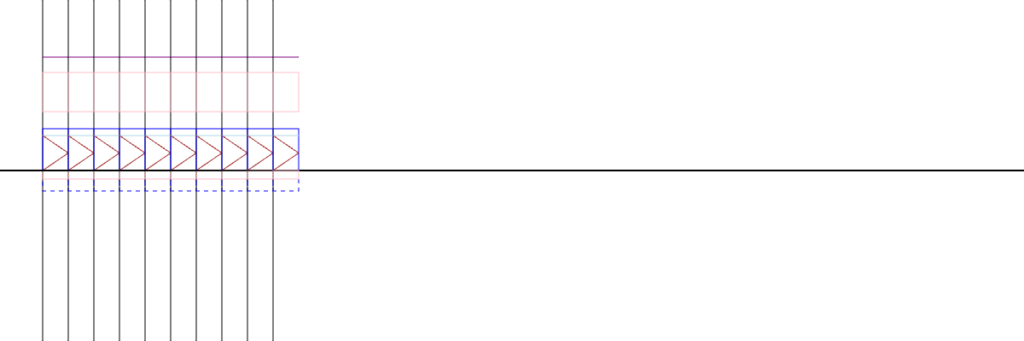
Looks like crap, but 1px = 1in, and this is a configured elevation, plan and RCP (minimally). That is the part that matters: three views reading one set of host relationships, instead of three drawings that agree by accident.
The heights are the easy part. Anybody can copy 52 inches off a drawing. The parent is the design decision, because the parent decides what a change means. Hang the uppers from the ceiling and a taller room opens a five-foot gap over the counter. Hang the counter outlets from the counter and a 42-inch counter puts them above the switch. A configurator that stores heights without hosts will draw both walls with total confidence. I would rather it store the graph and make me choose the parent on purpose.